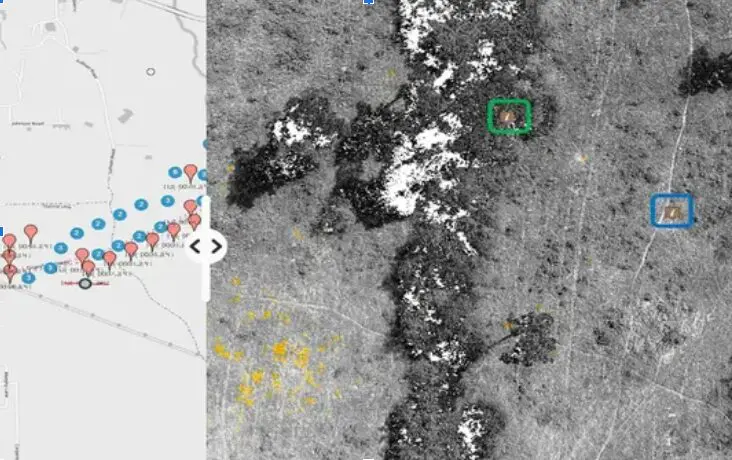

Public street imagery is useful for general context, but environmental work often happens where public coverage is incomplete, outdated or captured from the wrong viewpoint. OcuMap lets teams organize the documentation they collect themselves and keep it private until they decide to share it.
Document the places your project actually needs
Teams can collect photos, 360 imagery or video while walking, driving or using another approved field workflow. GPS-based media can be organized on the map, and supporting KML, KMZ, GPX or CSV information can provide known project context.
Use visual documentation for baseline conditions
- Wetlands and waterways
- Vegetation and habitat conditions
- Erosion and restoration areas
- Access routes and staging areas
- Construction or mitigation monitoring
- Visible changes around known project features
Historical comparison is where the record compounds in value
Environmental conditions change with seasons, weather, construction and restoration. OcuMap can compare documentation from the same location side by side across dates, making repeat field capture more useful than a collection of unrelated folders.
Bring 3D and project records into the same place
When environmental projects also include LAS, LAZ or E57 point clouds, those files can be viewed and measured natively. PDFs, drawings and other project documents can stay with the visual record as well.
OcuMap does not replace GIS, surveying or scientific analysis
The platform organizes and presents the data you provide. GIS, survey, laboratory and scientific systems remain authoritative for analysis and measurements that require those methods. OcuMap adds spatially connected visual context.
Share selected documentation
Published Viewers can provide agencies, clients or stakeholders with a curated, browser-based view of selected project records without exposing the internal workspace.
Start documenting with OcuMap →
Practical checklist
- Define the area of interest and repeat-observation locations.
- Use authoritative environmental, GIS or survey data where required.
- Capture consistent viewpoints when change detection matters.
- Keep seasons, weather and field conditions in mind when interpreting imagery.
- Preserve original files and capture dates.
- Share only the level of detail appropriate for the audience.
Related resources
Common questions
Does OcuMap replace environmental GIS or scientific analysis?
No. OcuMap provides visual documentation and spatial context around the data you supply.
Can teams document remote sites not covered by public imagery?
Yes. Use your own capture workflow and organize the resulting imagery around the project map.
Can seasonal conditions be compared?
Yes. Repeat captures can be compared side by side by location and date.