GPS-based visual documentation connects a field record to the place where it was captured. Instead of opening a folder of images and guessing where each photo belongs, teams can navigate the documentation spatially.
What OcuMap uses
OcuMap can work with location information embedded in or supplied alongside the media. Existing project information in KML, KMZ, GPX or CSV can also provide map context. The platform does not generate authoritative utility locations or survey control; it displays and organizes the data you provide.
Use GPS imagery to document visible assets
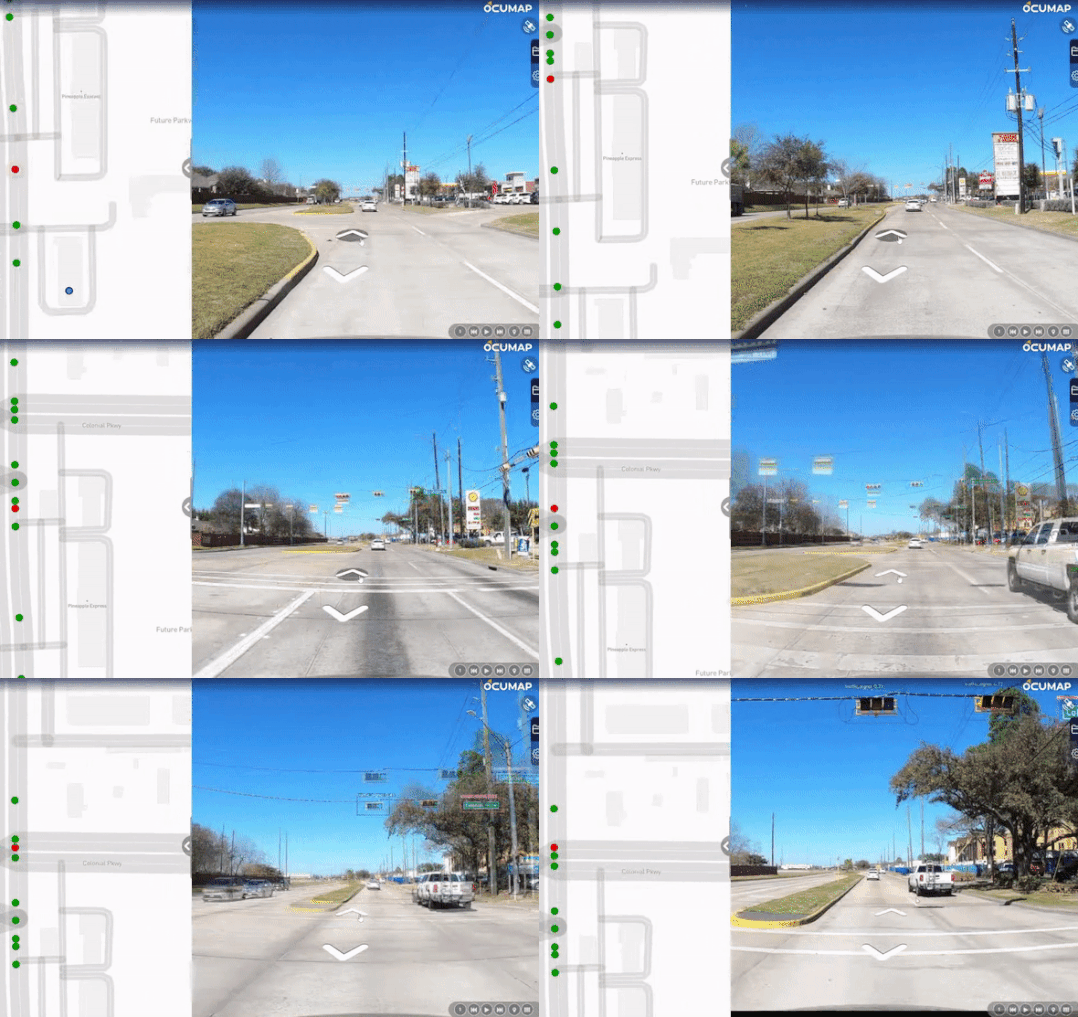
A road, railway or utility corridor can be captured with GPS-based photos or video and reviewed later from the office. Teams can identify visible assets or conditions from the imagery and build an inventory list around those observations.
Use authoritative data when precision matters
GPS accuracy varies by camera, receiver, environment and workflow. For precise asset coordinates, use the appropriate GNSS, survey, GIS or utility-locating source. OcuMap should be treated as the documentation layer around that data, not as a substitute for it.
Add measurements where the documentation supports them
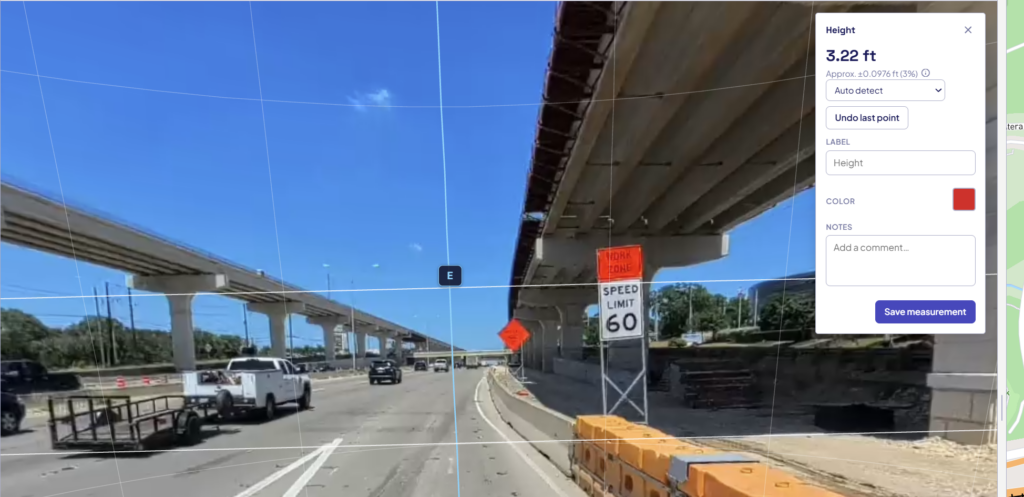
Supported photos can be calibrated for length and area measurement. Native point-cloud measurement is available for LAS, LAZ and E57 files. The source and calibration determine the reliability of any resulting measurement.
Compare GPS imagery across time
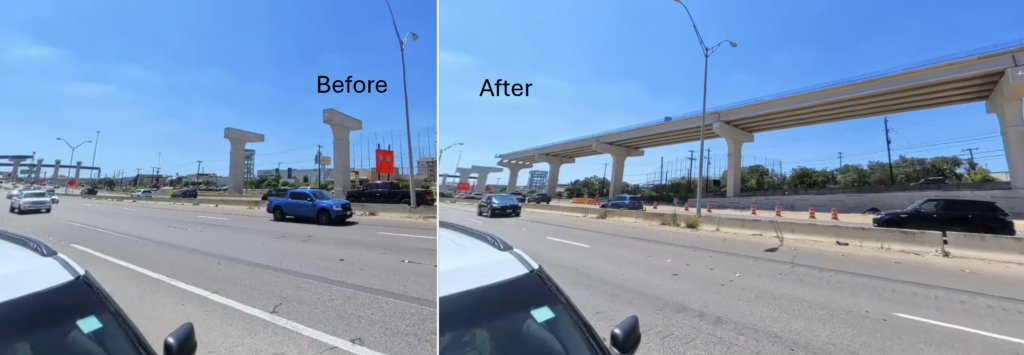
If a corridor or site is captured more than once, OcuMap can compare imagery from the same location side by side. That helps teams see visible changes in assets, construction, vegetation or site conditions.
Move from mapping to institutional memory
The long-term value is not simply seeing a photo on a map. It is retaining the original file, capture date, spatial context and relationship to the asset so future teams can understand why the record exists.
Start documenting with OcuMap →
Practical checklist
- Start with the business or project question, not the tool.
- Identify which source is authoritative for location and dimensions.
- Keep capture date and spatial context with the record.
- Use measurement only within the accuracy limits of the source.
- Preserve originals for future reuse.
- Connect each resource to the relevant OcuMap project, solution or Platform page.
Related resources
Common questions
Does OcuMap improve GPS accuracy?
No. The platform uses the coordinates provided by the source data.
Can an existing KML or CSV be displayed with imagery?
Yes. Existing location-based data can provide map context for the visual record.
Can photos without GPS still be used?
Yes. They can be organized manually around known project locations or building context.